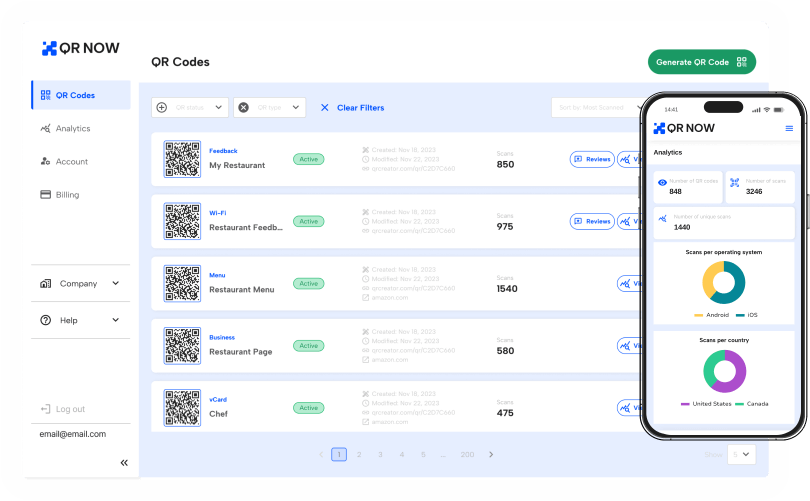
Condividi menu, risorse e altro istantaneamente con un QR code per PDF
Se desideri condividere documenti importanti come menu, istruzioni e altro ancora con clienti e utenti, convertire un PDF in un QR code rende il processo rapido e senza intoppi. Con questo codice puoi:
- Ridurre i costi di stampa condividendo i documenti in formato digitale
- Fornire accesso istantaneo a documenti, come brochure e manuali, senza allegati
- Personalizzare il tuo codice per adattarlo al brand della tua azienda
Continua a leggere per scoprire come creare il tuo QR code e permettere ai tuoi clienti di ottenere subito il documento di cui hanno bisogno.
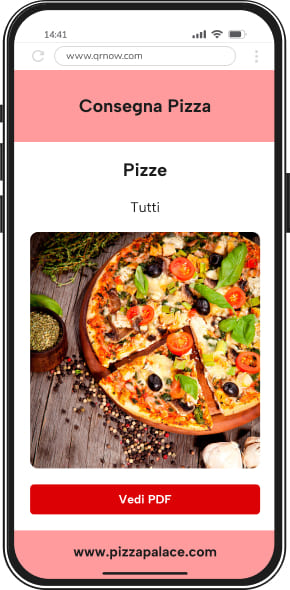
Come creare un QR code per un PDF con QRNow
Segui questi semplici passaggi per iniziare a usare il nostro generatore di QR code durante una prova di 7 giorni e condividere i tuoi documenti senza fatica:
-
Scegli il tuo file
Seleziona il file che desideri condividere. Può trattarsi di qualsiasi cosa: da un contratto digitale a una guida del prodotto o ai dettagli della garanzia.
-
Inserisci i tuoi dati
Apri il generatore di codici QRNow e carica il tuo file. Aggiungi un titolo, una breve descrizione e qualsiasi dettaglio opzionale, come link al tuo sito web o informazioni di contatto.
-
Personalizza e scarica
Personalizza il tuo QR code selezionando un design, una cornice o un logo che si adatti al tuo brand. Una volta che il codice è perfetto, scaricalo in alta risoluzione.
Un QR code personalizzato garantisce un aspetto coerente sia sui materiali digitali che su quelli stampati, rimanendo facile da scansionare.
Crea QR code per PDF dinamici o statici con il nostro generatore, poi visualizzali in anteprima e testali prima di scaricarli.
Riduci i costi e collega volantini, guide o menu con i QR code per PDF
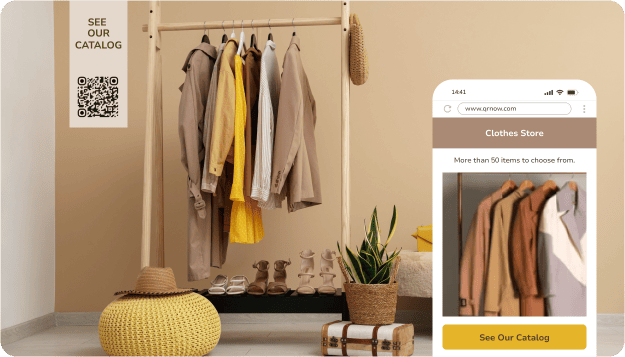
Puoi utilizzare i QR code per le operazioni aziendali o per migliorare il coinvolgimento dei clienti, oltre a molti altri usi. Ecco alcuni modi per integrare un QR code per PDF nella tua attività:




Insight sui dati di QRNow: Praticamente ogni settore può utilizzare i QR code PDF! Tra i nostri utenti, i settori più comuni sono Arte, cultura e media (7,8%), Turismo e intrattenimento (7,8%) e Retail ed eCommerce (5,8%). Allo stesso modo, quasi il 40% degli utenti di QR code PDF è rappresentato da privati e freelance.
Dati basati sull'utilizzo dei clienti QRNow, aggregati e anonimizzati, raccolti nel 2025.
Vantaggi reali dei codici QR PDF per i clienti
Un cocktail bar utilizza un codice QR PDF per offrire ai clienti un accesso rapido al menu delle bevande aggiornato.
L'attività può sostituire il file PDF ogni volta che cambiano i drink stagionali, i prezzi o le offerte speciali della settimana, senza dover ristampare il codice esposto sui tavoli o sui menu cartacei. Con una rapida scansione, i clienti possono aprire l'ultima versione pubblicata del menu.
Ecco alcune informazioni utili tratte dai dati di scansione di questo cliente:
- La domenica è il giorno più trafficato, con una media di 333,1 scansioni, seguita a ruota dal sabato con 284,8 scansioni.
- Nell'arco di 18 mesi, dal 1° gennaio 2025 al 23 giugno 2026, questo codice QR ha totalizzato ben 73.636 scansioni.
- Tra le scansioni per cui erano disponibili i dati sul dispositivo, il 92,4% proveniva da dispositivi iOS.
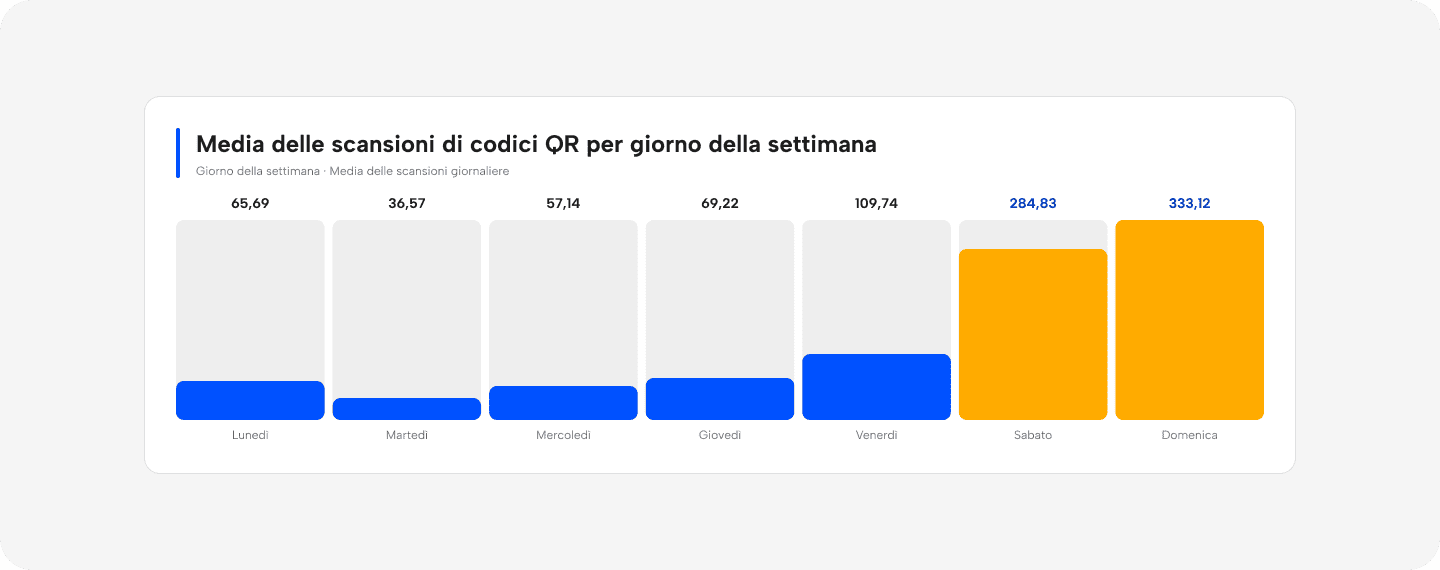 Fonte: dati anonimizzati proprietari di QRNow relativi all’utilizzo da parte di un cliente del settore alberghiero (Stati Uniti). I dati si riferiscono al numero totale di scansioni, non agli utenti unici. La ripartizione per dispositivo include solo le scansioni per cui erano disponibili informazioni sul sistema operativo. Dati verificati dal team Product Analytics di QRNow. Aggiornato a luglio 2026.
Altri clienti utilizzano i codici QR PDF per i motivi più svariati. I produttori condividono manuali d'uso dei prodotti, le aziende inviano lettere di benvenuto ai nuovi clienti e i microbirrifici aggiornano regolarmente i menu delle birre man mano che sono disponibili nuove selezioni.
Nonostante i documenti cambino, i clienti continuano a usare lo stesso codice QR per accedere all'ultima versione. Un unico codice può veicolare moltissimi tipi di documenti diversi, assicurando al contempo che le informazioni rimangano aggiornate e facili da trovare.
4 consigli per assicurarti che i tuoi QR code per PDF vengano scansionati
Di seguito sono riportati alcuni modi per assicurarti che il tuo pubblico di riferimento scansioni i tuoi codici per condividere efficacemente informazioni, guide e altro ancora.
-

Aumenta le scansioni proponendo offerte esclusive
Configura il tuo QR code come un pass per contenuti esclusivi. Ad esempio, se possiedi un ristorante, puoi offrire un "menu speciale per i nuovi clienti" per dare alle persone un motivo per scansionare il codice e interagire con la tua attività.
-

Ottieni più conversioni con i link all'interno del documento
Mantieni vivo l'interesse del cliente condividendo un file con un link. Se hai un'agenzia immobiliare, puoi condividere la brochure di un immobile in PDF con un link cliccabile "Prenota una visita" alla fine, per trasformare il tuo file in una potenziale vendita.
-

Invita all'azione immediata con contenuti a tempo limitato
Aggiungendo urgenza alla CTA del tuo codice PDF con offerte a tempo limitato, puoi evitare che venga ignorato. Ad esempio, puoi provare a promuovere un "Flash Sale Primavera 2026" sulla vetrina del tuo negozio.
-

Acquisisci lead istantaneamente durante gli eventi dal vivo
Collega il tuo QR code a una conversazione attiva. Se stai organizzando un evento, puoi posizionare un codice su un display con la scritta "Scansiona ora per le slide della presentazione" per soddisfare un bisogno immediato del pubblico.
Best practice per l'uso efficace di un QR code per PDF
Seguendo le linee guida riportate di seguito, potrai garantire che i tuoi QR code siano efficaci e facili da usare per il tuo pubblico.
-
 Mantieni il file aggiornato
Assicurati che ogni manuale, contratto o garanzia che condividi sia attuale.
-
 Collegare PDF obsoleti o irrilevanti
Evita di collegare PDF con contenuti errati o obsoleti.
-
Etichetta i tuoi file in modo chiaro
Assegna ai file nomi facilmente riconoscibili, così gli utenti potranno identificarli e salvarli senza confusione.
-
Usare QR code stampati male
Evita QR code sfocati o sgranati, che potrebbero non funzionare correttamente o frustrare gli utenti.
-
Mantieni al sicuro i PDF importanti
Allega informazioni sensibili solo con una password o un accesso crittografato.
-
Richiedere una connessione internet costante
Non fare affidamento su documenti che richiedono una connessione, poiché eventuali problemi di connettività potrebbero frustrare gli utenti.
-
Ottimizza i PDF per i telefoni cellulari
Assicurati che i file siano ottimizzati per i dispositivi mobili mantenendo le frasi brevi, il peso del file sotto i 10 MB e testandoli sul tuo cellulare prima di stamparli.
-
Caricare PDF grandi o non ottimizzati
Evita di caricare file di grandi dimensioni o formati che potrebbero impiegare troppo tempo per aprirsi.
-
Monitora le scansioni sui QR code dinamici per ottenere insight aziendali
Usa i QR code dinamici per monitorare l'attività di scansione e verificare se l'accesso ai file avviene correttamente.
-
Perdere opportunità per comprendere il comportamento dei clienti
Non limitarti a incollare il tuo QR code da qualche parte per poi dimenticartene. Puoi monitorare se il tuo codice sta ottenendo abbastanza scansioni. In caso contrario, puoi apportare delle modifiche.
FAQ sui QR code per PDF
-
Un generatore di QR code per PDF crea codici che consentono l'accesso diretto a un file PDF. Ti permette di condividere facilmente i documenti posizionando un codice dove molti utenti possono trovarlo.
Scansionando il QR code, i destinatari possono accedere al PDF direttamente sui propri dispositivi, semplificando la condivisione delle informazioni senza dover aggiungere allegati extra.
-
La dimensione massima del file per un QR code per PDF è solitamente di 20 MB. Questa dimensione è sufficiente per condividere un'ampia gamma di file, tra cui report, manuali e presentazioni.
-
Sì, a seconda del QR code per PDF che hai creato. I codici statici sono permanenti e non possono essere monitorati. Tuttavia, se crei un QR code dinamico, puoi monitorare le scansioni e persino modificare il tuo codice QR se necessario.
-
Per scansionare un QR code per PDF, apri l'app fotocamera del tuo smartphone o usa un'app per la scansione di codici QR. Inquadra il codice con la fotocamera e apparirà una notifica o un link. Tocca il link per accedere e visualizzare istantaneamente il documento.
-
Un QR code per PDF funzionerà offline solo se il file viene salvato direttamente sul dispositivo dopo la scansione iniziale. Se il QR code rimanda a un documento online, avrai bisogno di una connessione internet per accedervi.
-
Avrai bisogno di un QR code per PDF dinamico, che ti permette di sostituire o modificare il file collegato dopo la creazione del codice. Lo stesso QR code continuerà a funzionare, ma rimanderà al documento aggiornato.