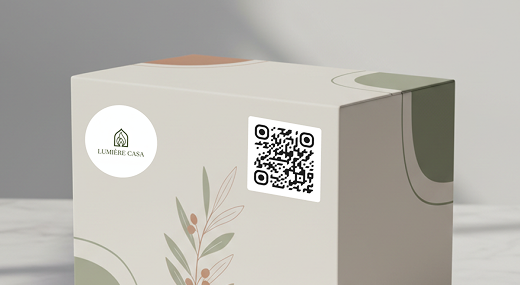

Quick Answer: When you add a List of Links QR code to packaging, you instantly give your customers access to information. A single scan can help you answer their questions, offer support, promote products, and encourage repeat purchases.
Best QR Codes for Different Packaging Goals
Choose your QR code based on what you want customers to do after they scan. The right type can help you provide support, share product information, promote offers, or encourage another purchase.
|
Goal |
Best QR Code Type |
Why It Works |
|---|---|---|
| Provide the best all-purpose QR code solution | List of Links QR Code | Offer your customers links to product details, FAQs, instructions, and other useful resources together in one place. |
| Provide manuals or instructions | PDF QR Code | Give customers instant access to manuals, setup guides, care instructions, or other documents. |
| Show how to use a product | Video QR Code | Link directly to demonstrations, tutorials, assembly instructions, or other helpful video content. |
| Promote a discount or offer | Coupon QR Code | Give buyers quick access to discounts, promotions, or incentives for a future purchase. |
| Drive customers to your website | URL QR Code | Send customers directly to a product page, online store, support page, or other URL. |
| Share your business details | Business Page QR Code | Give customers access to your business information and ways to contact or learn more about you. |
How GS1 Sunrise 2027 Is Changing Smart Packaging
GS1 Sunrise 2027 is a global initiative led by GS1, a global organization that oversees supply chain standards and communication between businesses.
The initiative aims to help retailers and manufacturers move toward 2D barcodes that can carry more useful product data.
QR Codes are part of this shift because, when used with GS1 Digital Link, they can identify a product at checkout and also connect customers to digital product information.
The goal is for one code to serve different purposes. Retailers can use it to identify products at checkout, while customers can scan it to access useful digital information.
This can include:
- Ingredients and allergens
- Expiry dates
- Batch or lot numbers
- Product origin and traceability
- Recycling information
- Safety or recall details
GS1 aims for retail checkout systems worldwide to process GS1-standard 2D barcodes by the end of 2027.
How To Generate Branded QR Codes for Smart Packaging
Creating a QR code for your packaging is quick and simple with our QR code generator. Follow these steps to make a custom QR code that best aligns with your brand.
-
Register your account
Sign up for our QR code generator to access dynamic QR codes. These codes allow you to update content even after printing and track scan data to measure engagement.
-
Fill in your QR code details
Choose what your QR code will link to. You can use it to link to product details, FAQs, user manuals, special promotions, or your official website.
Think about your goal and what would add value to your customers.
-
Customize your QR code
Make your QR code match your brand by adjusting colors, adding your logo, and selecting a frame that complements your packaging. By including a well-designed QR code, you can blend it with your product while staying highly visible.
-
Download your QR code
Save your finished code in high-resolution formats like PNG, JPEG, or SVG. With a high resolution format, you’ll keep your code clear and easily scannable, on your packaging.
-
Integrate it into your packaging
Place your QR code in a central location on your packaging with a clear call to action, such as “Scan for product info” or “Get your exclusive discount now” to get your customers to scan and see important details.
-
Track and analyze results
Monitor your QR code’s performance using scan analytics by using a dynamic code. Track customer interactions, identify trends, and optimize your strategy based on real-time data.
QRNow data insight: It’s no surprise that more than 80% of companies on QRNow use URL QR codes, typically to direct customers to their official websites.
Based on aggregated and anonymized QRNow customer usage data collected in 2025.
How QR Codes Are Used on Packaging
There are a number of ways your business can share product details, store information, or direct customers to your website with a QR code.
Below are some examples of how different industries and professionals can use them effectively.
-

Retail and E-commerce
If you run an online store or a physical shop, a QR code on packaging can send customers to digital manuals, special offers, or loyalty programs. Manuals are important for clients, so adding a quick link in your code will be beneficial to them and your store.
You can also use them for easy reordering, directing customers to your online store with a single scan.
-

Restaurants
If you own a restaurant or café that offers delivery, you can use QR codes printed on your delivery materials to provide ingredient lists, recipes, nutritional information, or allergy details.
You can also include links discounts for your most loyal customers.
-

Health and beauty
For health wellness products, your code link to tutorials, skincare routines, or personalized recommendations. You could also link them to informative pages that explain that your products are high quality and sfae to use.
-

Electronics
If your business is related to tech and electronics, they can replace hard copy manuals that use up a lot of paper with QR codes that link to digital guides, setup instructions, and tips.
You can also direct users to customer support pages to help them clear up any doubts.
-

Fashion and apparel
If you sell clothing, footwear, or accessories, you can use packaging QR codes to provide care instructions, sizing information, styling ideas, or product recommendations. You can also direct customers back to your store for related products.
-

Home and furniture
If you sell furniture, appliances, or home products, QR codes can link customers to assembly instructions, care guides, video tutorials, or replacement parts. This gives buyers useful information without adding large printed manuals to the packaging.
-

Toys and games
Sell toys, games, or hobby products? Packaging QR codes can provide instructions, setup videos, digital extras, or supporting content. You can give customers more information, while making the packaging simpler and more attractive.
Best Practices to Use QR Codes on Product Packaging
Adding QR codes to your products can help customers quickly find key information if you use them correctly.
Below are the best ways to use codes effectively, regardless of your industry:
Best QR code size for packaging
For close-range scanning, 2 × 2 cm (0.8 × 0.8 in) is a useful starting point. However, if you used curved packaging (such as a bottle), you may need to take a different approach.
|
Type of Packaging |
Recommended QR Code Size |
|---|---|
| Small flat label or tag | Start at 0.8 × 0.8 in if space allows. |
| Small box or carton | Around 0.8–1 in works as a practical starting point. |
| Standard product box | Around 1 × 1 in gives the code more visibility. |
| Bottle or jar | Fit the code completely on the least-curved area and test it. |
| Flexible pouch or bag | Around 0.8–1 in on an area that stays flat. |
| Large shipping box | Use a larger code if customers will scan from farther away. |
Remember that these are just recommendations. Make sure you test out the QR code to see if it works before you order the full shipment of packaging.
Where to place a QR code on packaging
The most important point to know when choosing where to place your QR code is that it must go on an area where the whole code stays visible, flat, and undamaged.
The table below gives you some ideas on the best places to put it depending on the type of packaging, and where you should avoid.
|
Packaging Type |
Recommended Placement |
Avoid |
|---|---|---|
| Box | Flat front, side, or back panel near the relevant CTA. | Edges, folds, seams, or closures. |
| Bottle | Flattest part of the label with the least curvature. | Tight curves, label seams, or reflective areas. |
| Pouch/flexible bag | Smooth area that remains as flat as possible when filled. | Gussets, seals, wrinkles, or areas that crumple. |
| Food packaging | Visible flat panel with enough clear space around the code. | Seals, folds, or required product information. |
| Cosmetic packaging | Flat carton panel or broad, smooth label area. | Highly curved containers, foil, or heavy glare. |
| Retail tag/label | Flat front or back with clear space around the code | Die-cut edges, holes, folds, or trimmed areas. |
Make your packaging QR code feel safe to scan
The best way to make your QR code safe to scan is to make it clear who the QR code belongs to and what customers will get by scanning it.
To achieve this you can:
- Keep your brand visible
- Use a specific CTA such as “Scan for Instructions” or “View Product Details.”
Make sure the code leads to the page you promise. If you choose a dynamic QR code, you can continually update where the links takes the user, without having to print new packaging.
FAQs
-
There are different types of content you can link to, such as:
- Product details
- User manuals
- Promotional offers
- Social media pages
- FAQs
- Customer support
- Tutorials
When choosing which content you’re going to link to, think about what will help customers use or understand your product.
Important: A QR code should not replace information that your product is legally required to display on its packaging.
-
Yes, QR codes can make your packaging much more sustainable. You can reduce the size of the packaging and accompanying materials, by linking to:
- Manuals
- Instructions
- Guides
- Any other type of useful information
-
QR codes can support anti-counterfeiting systems. However, a standard QR code alone cannot prevent counterfeit products.
For stronger protection, you need features such as:
- Unique product codes
- Serialization
- Digital authentication
A QR code can be used as part of this system to give customers or businesses access to product verification information.
-
Yes, you can track packaging scans when you use a dynamic QR code or another trackable destination.
QRNow’s generator allows you to track various analytics such as:
- Total and unique scans
- Scans over time
- Geographic location
- Device and operating system
- Hourly, daily, and monthly scan trends
-
Yes, but glossy and curved surfaces can make QR codes harder to scan reliably:
- Glare: reduces readability
- Strong curvature: hides or distorts part of the code
Place yours on the flattest available area, maintain strong contrast, and test the finished package.
