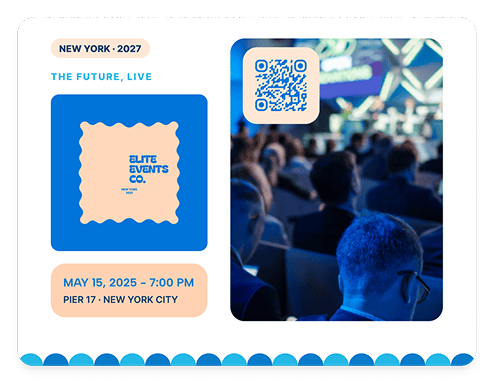

Quick Answer: A List of Links QR Code allows you to give guests all your events details with a single scan. They can RSVP, or access directions, schedules, and accommodation details
Why QR Codes Are a Game Changer for Event Promotions
Adding an RSVP with a QR code as an interactive tool makes event management and promotion much easier. Some of the advantages include:
- RSVP management: Guests can instantly confirm attendance with a quick scan, eliminating the need for manual responses.
- Instant access to event details: Link to event schedules, venue maps, dress codes, or parking instructions to make sure your guests know exactly how and where to go.
- Personalized experience: Use dynamic QR codes to provide special messages or specific seating arrangements for each guest who has rsvp'd.
- Easy updates: Update event details instantly. This helps you avoid needing to recreate your QR code or reprint.
- More participation: Promote interaction by sharing video greetings, social media event pages, and other pages with the QR code placed on your invitation
By taking advantage of these benefits, you can give your guests and you a smoother experience.
Best Types of QR Code To Put on an Invitation
The best QR code for your invitation depends on what you want guests to do after scanning it. Use the table below to choose the right option for your event.
|
Invitation Goal |
Best QR Code Type |
Why It Works |
|---|---|---|
| Best Option - Give guests several useful links | List of Links QR Code | Keep your RSVP page, directions, accommodation information, event website, and other useful links together in one place. |
| Collect RSVPs or registrations | Event QR Code | Send guests directly to your event information or registration page, making it easier to confirm attendance. |
| Ask guests for preferences or feedback | Feedback QR Code | Collect meal choices, song requests, date preferences, survey responses, or other guest information. |
| Share schedules, maps, or other documents | PDF QR Code | Give guests instant access to programs, venue maps, seating information, menus, or other event documents. |
| Promote an offer or event incentive | Coupon QR Code | Share discounts, special offers, or exclusive perks that encourage recipients to attend or take action. |
| Keep event information flexible | Link QR Code | Change the linked destination later without replacing the QR code or reprinting your invitations. |
How To Create a Professional Invitation QR Code in 6 Steps
Creating a QR code for your event invitation is quick and easy with QRNow’s QR code generator. Follow these simple steps to create a custom QR code that improves your invite and guest engagement.
-
Begin the QR code creation process
Start by signing up for our QR code generator. QRNow’s platform allows you to create dynamic QR codes that can be updated even after printing. You can also track scans and customize the design to match your event theme.
-
Decide what guests will access
Choose what your QR code will link to. You can choose from the various QR code types that would be most relevant and useful to your guests. It could link to an RSVP form, event details page, or another useful piece of content.
-
Customize your code
Make your QR code stand out by adding your company’s and event’s branding. You can change colors, insert a logo, and pick a frame to complement your invitation’s design while keeping the code easily scannable.
-
Download your high-quality invitation code
Once you’ve finalized your QR code’s design, download it in a high-quality format like PNG, JPEG, or SVG. By doing so, your code will be clear and easy to scan on your invitation.
-
Combine it with your invitation design
Place the QR code in a visible spot on your invitation with a clear call to action, such as “Scan to RSVP” or “Get Event Details.” Test the code on multiple devices before finalizing your invitation.
-
Track and analyze your campaign
Use analytics tools when you use a dynamic QR code to monitor how many guests are scanning your QR code, when they scan, and which links they visit. This data can help you perfect your approach and improve future invitations and campaigns.
How Different Businesses Use Event Invitation QR Codes
Invitations aren’t just for weddings. Marketing any event or product with a QR code has its advantages, and all types of businesses can use this QR code. .
Here’s how different industries can use them effectively.
-

Event planners and venues
Event planners and venues can add QR codes to invitations to manage registrations and keep all event details in one place.
If you think that the event’s timings, locations, or other details may change after invitations have been sent, consider using a dynamic QR code.
-

Hotels and travel businesses
Hotels, resorts, tour operators, and travel agencies can use QR codes on invitations for VIP events, special experiences, openings, or promotional events.
A list of links, for example, can give guests access to booking information, itineraries, accommodation details, maps, and special offers from one scan.
-

Retail and E-commerce
Retailers can use invitation QR codes for:
- Product launches
- Store openings
- Private shopping events
- Seasonal promotions
- Loyalty programs
Dynamic QR code analytics can also help businesses see how much interest their invitations generate.
-

Restaurants and hospitality businesses
Restaurants, bars, and hospitality venues can include QR codes on invitations to make reservations and event planning easier.
Guests could scan to:
- Confirm attendance
- View a special event menu
- Choose meal preferences
- Find the venue
-

Real estate businesses
Real estate agencies and property developers can use QR codes on invitations for:
- Open houses
- Property launches
- Private viewings
Recipients can scan to view property details, explore image galleries, find directions, or book a viewing instantly.
-

Marketing and professional services
Agencies, consultancies, and other professional businesses can add QR codes to invitations for networking events, workshops, seminars, and client events.
The code can connect attendees with registration pages, speaker information, agendas, downloadable resources, or follow-up content.
Events Where You Can Use QR Codes on Invitations
QR codes can make invitations more useful for almost any type of event, as shown in the table below:
|
Event Type |
How a QR Code Can Help |
|---|---|
| Birthdays | Collect RSVPs and share party details, locations, or gift information |
| Graduations | Share ceremony times, venue maps, parking details, and celebration plans. |
| Weddings | Manage RSVPs, meal choices, accommodation information, and schedules. |
| Product launches | Link to registration, product previews, demos, or exclusive offers. |
| Corporate events | Give attendees access to agendas, speaker details, registration, and event resources. |
| Conferences | Share schedules, networking information, venue details, and downloadable materials. |
| Fundraisers | Link guests to registration, event information, or donation pages. |
| Store openings | Promote launch details, special offers, directions, or VIP access. |
Best Practices for QR Codes on Invitations
Your QR code needs to work just as well on the finished invitation as it does on screen. Size, placement, print quality, and a trustworthy design all affect whether guests notice and successfully scan it.
Best QR code size for invitations
There is no single size that works for every invitation. As a practical starting point, use at least 2 × 2 cm (0.8 × 0.8 in) for a code that guests will scan at close range. The table below gives you an idea of the best size for the code based on the invitation you’ll put it on.
|
Invitation Format |
Recommended QR Code Size |
|---|---|
| Small invitation or RSVP card | 2 × 2 cm / 0.8 × 0.8 in minimum |
| Standard invitation (A6 or 4 × 6 in) | Around 2–2.5 cm / 0.8–1 in |
| Large invitation (A5 or 5 × 7 in) | Around 2.5–3 cm / 1–1.2 in |
| Folded invitation | Around 2.5–3 cm / 1–1.2 in on a flat panel |
| QR code with a logo or detailed design | Give the code more space and test the printed version carefully |
How to place a QR code on an invitation
You should always put the code where guests naturally look for the action you want them to take. It should be noticeable without competing with the main invitation design.
- Near the RSVP details when the main action is confirming attendance.
- Beside event information when it links to schedules, directions, menus, or other details.
- On the back if you want to keep the front of the invitation minimal.
- On a flat, uncluttered area rather than over photographs, patterns, folds, or decorative elements.
- Add a short CTA such as “Scan to RSVP”, “View Event Details,” or “Get Directions” so guests know what will happen when they scan.
Keep a clear area around the QR code rather than placing text or artwork directly against it. Standard QR codes require a quiet zone four modules wide on every side.
Invitation QR code print specifications
Before you print your invitations, check these five things to make sure that your code will scan easily:
- QR code file: Use a high-quality or vector format such as SVG when available so the code remains sharp when resized.
- Proportions: Keep the code square. Do not stretch, squash, or distort it, as changing its geometry can interfere with scanning.
- Contrast: A dark code against a light, plain background is the safest choice. Avoid low-contrast colors, gradients, or busy imagery behind the code.
- Print area: Keep the complete QR code and its quiet zone inside the invitation’s safe area rather than extending it into a trim or fold.
- Print proof: Scan an actual printed sample before approving the full order. Test the final size, paper or finish, lighting, and several phones where possible.
How to make an invitation QR code look safe to scan
Guests are more likely to scan when they know who created the code and where it will take them.
|
Trust Check |
What to Do |
|---|---|
| Clear purpose | Add a CTA such as “Scan to RSVP” or “View Event Details.” |
| Recognizable sender | Keep your event, business, or organizer name visible near the code. |
| Trusted destination | Link to a secure, recognizable website related to your event or organization. |
| Accurate link | Test the code before sending invitations to confirm it opens the correct page. |
FAQs
-
Yes! QR codes work well on both printed and digital invitations. Guests can scan the code on either a paper card or email with their smartphones to access RSVP forms, event details, and more.
-
The QR code image itself does not expire. However, the page or content it links to can become unavailable.
-
Yes, a short backup URL is useful. It gives guests another way to access your RSVP page or event details if they cannot scan the QR code.
-
Yes. You could link your QR code to a landing page or list of links containing all details related to your event. You could include an RSVP form, schedule, directions, accommodation details, and other useful information, all from on QR code.
-
Yes, you can customize elements such as colors, frames, and logos. Make sure to keep strong contrast and clear space around the code. You should always test the finished design before sending or printing it. Make sure that it works on different types of devices, and brings you to the correct page.
-
If it’s not working, your QR code may be:
- Too small
- Blurry
- Distorted
- Low-contrast
- Surrounded by too little clear space
If you choose QRNow’s QR code generator, you’ll automatically receive a high-quality code that can easily be scanned by any device.
