Connect All Your Social Media Profiles With One QR Code
Create one QR code that opens a mobile-optimized page with all your social profiles. Add, remove, or update links later without reprinting the code.
With our social media QR codes, you can:
- Quickly grow your business’s audience on Instagram, TikTok or other platforms.
- Provide important details about discounts, offers, updates, and more.
- Track when and where your codes are scanned to help you grow your reach
- Encourage your clients to share posts with friends and family
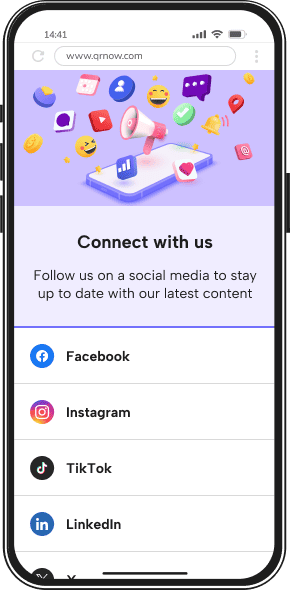
3 Simple Steps to Create Your Own Social Media QR Code
Creating a social media QR code is quick and straightforward with QRNow when using our generator during your 7-day full-access trial. Follow these three simple steps to start connecting with your audience today:
-
Select your social media profiles
Decide which social media platforms you want to include. Try to include all of your active profiles so that you don’t miss out on clients who maybe use one platform and not another.
-
Enter your details
Open our QR code generator and input the links to your social media accounts. Add a headline or description to let users know what they’ll find when they scan the QR code.
-
Personalize and download
Customize your QR code by selecting a color scheme, adding a logo, or choosing a frame to fit your brand. Once you're satisfied with the design, download your QR code in high resolution, ready for print or digital use.
Explore How Social Media QR Codes Can Benefit Your Business
Take a look at these examples to see how companies in different sectors can use social media QR codes effectively to get inspiration for your own business.
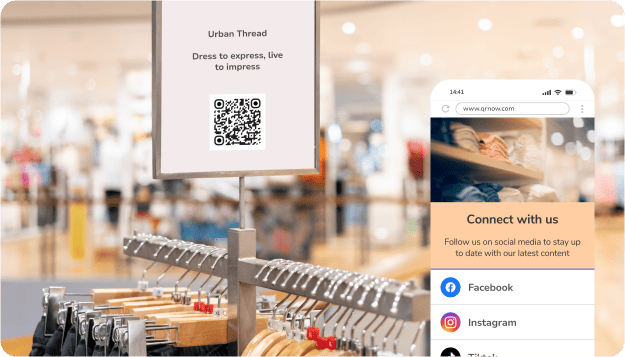
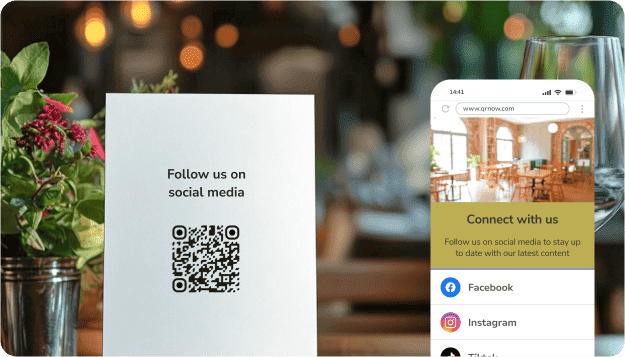
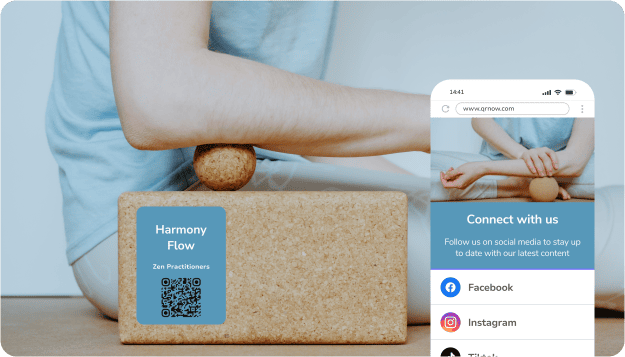
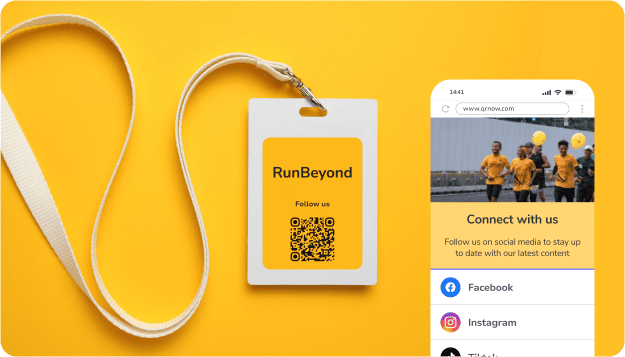
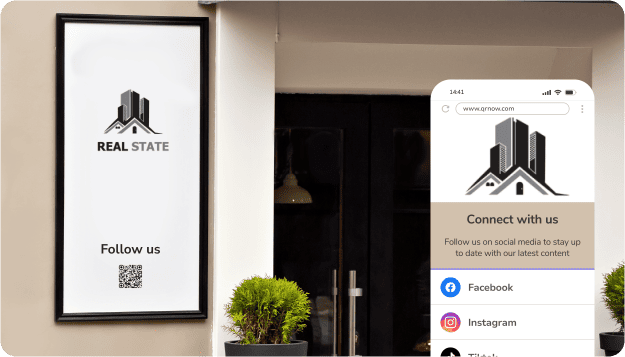
QRNow data insight: Our social media QR codes are most popular with small enterprises or solo entrepreneurs. About 56% of our users are small businesses, while nearly 38% are individuals or freelancers.
By sector, Art, Culture and Media leads adoption at around 31%. This is followed by Food and Restaurant, Construction and Real Estate, Government/Public Sector, and Professional Services at about 6% each.
Based on aggregated and anonymized QRNow customer usage data collected in 2025.
How a Law Firm Used a Social Media QR Code for a Raffle
One of our customers, a law firm, used the QR code as part of a raffle competition to encourage customers to engage with their social media accounts before entering.
Participants scanned the QR Code to open a raffle-entry form containing links to the firm’s social profiles. They could follow the relevant account, complete the entry form, and share the campaign with others. Here are some of the interesting data insights we took from their scan data:
- The QR code generated a total of 1,652 scans across 18 months of tracking (January 2025 to June 2026).
- Several days recorded higher-than-average scan volumes.
- Scan traffic is more concentrated toward the end of the workweek and into the weekend.
- The campaign was accessed almost exclusively by mobile users, with Apple devices representing the vast majority of the audience (80%).
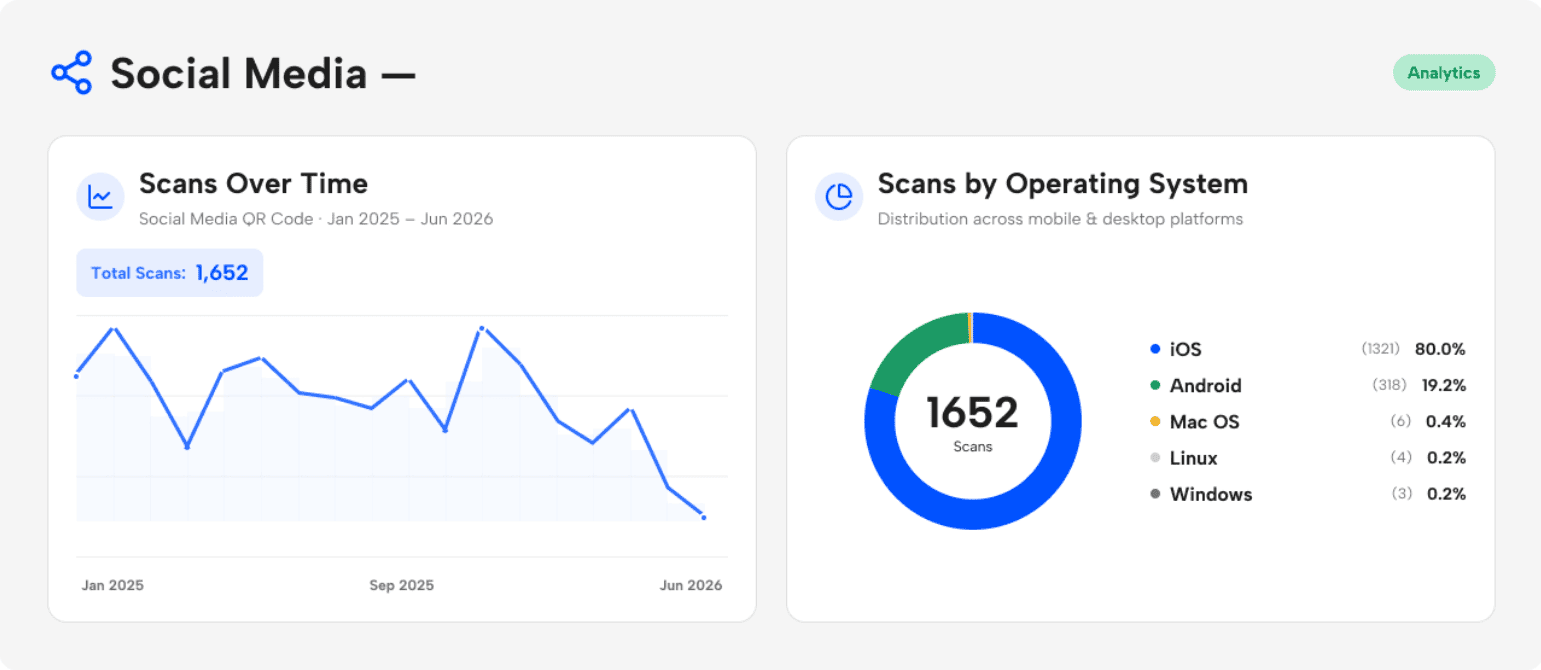 Source: Anonymized first-party QRNow scan data from one professional-services customer, covering January 1, 2025, to June 23, 2026. Figures represent total scans, not unique users. Operating-system percentages include only scans for which device information was available
Other customers use social media QR codes in completely different ways. University student groups share club updates and event pages, food product brands encourage customers to follow their latest campaigns, and restaurants and cafés connect diners to multiple social platforms from one convenient page.
For businesses with an active social presence, one QR Code can make it easier for customers to discover and interact with their profiles.
How To Increase Followers Using a Social Media QR Code
Social media platforms like Facebook and Instagram for businesses help you reach new audiences and promote products or offers. Growing your follower base increases visibility and engagement.
With social media QR codes, you can instantly connect people to your profiles through marketing materials. Here are a few ways to use them to boost engagement: :
-

Offer an immediate incentive
Give people a clear reason to follow you the moment they scan the code.
For example, offer a discount, a limited-time deal, or a free resource available only to your social media followers.
A clear reward gives users a reason to scan and visit your social profiles
-

Unlock exclusive content
Encourage users to follow your social media profiles by offering content they cannot access anywhere else.
This might include behind-the-scenes videos, early product announcements, tutorials, or special updates.
When people know they will receive unique value, they are much more likely to follow and stay engaged.
-

Launch a short game or a giveaway
Turn scanning your QR code into an interactive experience.
You could invite users to join a giveaway, spin a digital prize wheel, or participate in a quick challenge hosted on your social media page.
Giveaways and short interactive campaigns can give users a clear reason to scan, visit your profiles, and take part.
-

Offer a personalized experience
Make it clear that scanning the QR code leads to content tailored to the user’s interests.
For instance, direct them to a social profile where they can receive recommendations, curated product suggestions, or personalized offers.
When followers feel the experience is relevant to them, they are more likely to stay connected.
Best Practices for Using Social Media QR Codes for Business
Follow best practices and avoid common mistakes to make your social media QR codes more effective at connecting audiences directly to your online profiles.
Below are specific dos and don’ts to consider:
-
 Link directly to your social profiles
Send users straight to your Instagram, TikTok, or Facebook profile, or to a simple landing page that gathers all your social links in one place.
The fewer steps between scanning and following, the higher the chance users will engage with your content.
-
 Avoid long navigation paths
Don’t route users through slow-loading pages, homepages, or multiple redirects before they reach your social accounts. If people must click several times to find your profile, many will abandon the process before following you.
-
Keep your profiles active and updated
Make sure the profile connected to your QR code shows recent posts, a clear bio, and up-to-date visuals. When users scan and see an active account with engaging content, they’re far more likely to trust the brand and follow it.
-
Don’t connect to inactive accounts
Avoid linking QR codes to profiles that haven’t been updated in months. Empty feeds, outdated posts, or missing profile details can make your business appear inactive or unreliable, which discourages users from following.
-
Offer access to multiple platforms
Use your QR code to share a page that lists several social profiles such as Instagram, TikTok, Facebook, or LinkedIn. This lets users choose the platform they already use, increasing the chances that they will connect with your brand.
-
Don’t force users onto one platform
Redirecting every scan to a single network limits engagement. If someone doesn’t use that platform, the interaction ends immediately. Providing multiple options helps reach a broader audience and improves follower growth.
-
Include a clear call to action
Tell users exactly what they’ll get by scanning. For example: “Follow us for exclusive deals” or “Scan to see our latest videos.” A clear benefit increases curiosity and scanning rates.
-
Don’t place QR codes without context
A QR code alone doesn’t explain its purpose. Without a short message describing what the scan leads to, many people will ignore it. Always pair the code with a simple instruction and a clear value proposition.
-
Track performance and refine your campaign
Monitor scan analytics such as time, location, and device type. This data helps you understand where engagement happens and which placements perform best, allowing you to improve your QR code strategy over time.
-
Don’t launch campaigns without analytics
Printing and distributing QR codes without tracking tools means you’ll have no insight into how users interact with them. Without performance data, it becomes difficult to optimize placement, messaging, or overall campaign effectiveness.
Track Your Business’s Social Media Performance With QR Code Analytics
See how many total and unique scans your Social Media QR code generates and compare scan activity across campaigns.
Here are some ways you can make tracking your codes' performance to learn more about interested users:
- Get total and unique scans: See how many people interact with your social media QR code and compare performance across campaigns.
- See location information: Examine where your codes are scanned most, and use this to prioritize offers or types of posts you create.
- Find out which devices scan your codes the most: Check whether your audience scans mainly from iOS or Android, and optimize your profile links and content for mobile.
- Study time-based engagement: Get an idea of when scans peak during the day or week to help you schedule your posts or ads.
Frequently Asked Questions
-
With QRNow, you can choose from over 30 social media platforms to include in your code, such as TikTok, Instagram, LinkedIn, and Snapchat. This lets your business share all key profiles in one place.
-
No need to make different QR codes! You can add multiple social media profiles to a single code. This keeps your marketing materials simple and lets you update or add platforms without changing the printed code.
-
Linking multiple social media platforms is highly recommended. A single QR code that directs users to several profiles increases engagement by giving your audience options based on the platforms they use.
This approach simplifies your marketing materials, ensures you don’t miss potential followers, and allows you to update profiles easily, keeping your content fresh and accessible without needing to redesign or print new QR codes for each platform.
-
You can link multiple profiles to a single QR code using QRNow in four simple steps:
- Select the social media platforms you want to share from the library.
- Enter each profile URL in the designated field.
- Repeat for all accounts you want included.
- Customize your QR code’s design, then download it.
All links will appear together on a mobile-optimized page, making it easy for users to connect with you.
-
When users scan your social media QR code, it may open directly in the corresponding app if they have it installed on their device, providing a seamless experience. If the app isn’t installed, the link will open in the user’s web browser.
This ensures that everyone can access your profiles, regardless of device or app availability, while keeping the connection process simple and immediate.
-
On QRNow, all social media QR codes are dynamic, which means you can update your destination links at any time without reprinting your code.
This flexibility ensures that your QR code always directs users to the correct profiles, making it easy to add new platforms, update usernames, or change URLs while keeping all your marketing materials current and functional.
