What Is an eSIM?
An eSIM is an embedded SIM built directly into your device, so you don’t need to insert a plastic SIM card. Instead, you set it up digitally. When you activate it, your device downloads a carrier profile from a secure server. That profile includes the network details, policy rules, and settings needed for your service to work.
This removes the need to ship or store SIM cards. You can set everything up remotely using a scannable activation code, email, or your device management system. Once installed, the eSIM works just like a regular SIM, but stays fully controlled by software.
Benefits of eSIM QR Codes
Using a scannable activation method gives you a clear and repeatable onboarding flow. It makes setup easier for users while giving you more control over distribution, security, and updates.
Instant activation
When you scan the QR code, the profile starts installing right away on a compatible device. You don’t need to manually configure a carrier or contact support. This cuts down setup time and reduces support requests, especially when you’re rolling out plans across different regions or teams.
No physical SIM required
You don’t need to manufacture, store, or ship plastic SIM cards. You can deliver activation through packaging, labels, or printed inserts, so setup happens instantly at the point of sale. This cuts fulfillment costs and eliminates delays from lost or damaged SIM cards.
Global reach and flexibility
A single QR code can work across multiple markets when paired with the correct carrier profile. This is especially useful for travel providers, IoT devices, and distributed teams. You avoid country-specific inventory and gain flexibility in how you assign plans.
Improved customer experience
Your customers scan once and finish setup in just a few minutes. There’s no need to create an account before activation and no physical SIM to handle. This smoother flow helps more people complete setup and reduces drop-off during their first interaction with your product or service.
Enhanced security
You can restrict, monitor, or replace QR codes whenever needed. You can set expiration dates, control who can access them, and track usage to prevent misuse. This keeps installations secure and protects carrier credentials throughout the distribution process.
How To Get a QR Code for eSIM on iPhone and Android
When you request an eSIM for your business, your mobile carrier or eSIM provider generates a QR code that contains the activation details. You cannot create this QR code yourself.
You receive the QR code after purchasing an eSIM plan, or converting an existing physical SIM to an eSIM.
Before installing the eSIM, make sure the device is connected to Wi-Fi or mobile internet.
Installing the eSIM on iPhone and Android
The installation steps are almost identical on both platforms. The only difference is where the menu appears in settings.
-
Open Settings on the device
-
Go to Cellular, Mobile Data, Network, or SIM Manager
-
Select Add eSIM
-
Choose Use QR Code or Scan QR Code
-
Scan the QR code you received from your carrier or eSIM provider
-
Follow the on-screen instructions to complete setup
If scanning the QR code does not work, your carrier can provide manual activation details, such as an SM-DP+ address, which you can enter during setup.
Once installation is complete, the device connects automatically to the network.
How To Activate an eSIM With a QR Code
Setting up your eSIM is fast and easy. Give clear instructions with the scannable code so setup goes smoothly.
- Connect to Wi-Fi to ensure the device has stable internet access.
- Open Settings on the device.
- Navigate to Cellular or Mobile settings depending on the operating system.
- Select Add eSIM or Set Up Cellular to begin installation.
- Scan the QR code using the device camera.
- Use an alternative scan method if needed by selecting the image from the photo gallery or long pressing the code if it appears on screen or another device.
- Follow on-screen prompts to confirm installation and label the new plan.
Once installed, the device connects automatically to the supported network.
Get started with your first QR code today
Enjoy full access to QRNow and create custom QR codes that look professional and on-brand. Sign up in seconds and start creating immediately.

Best Practices for Businesses Using eSIM Card QR Codes
When you put QR codes on marketing materials, be sure to stay consistent and in control. A clear, structured approach helps reduce mistakes and makes it easier for people to scan and use them across all channels.
-
Test across formats
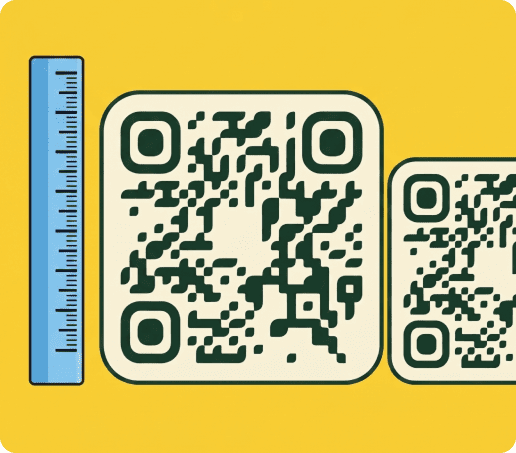
Check that your QR codes can be scanned on print, screens, PDFs, and emails. Make sure they’re big enough, have strong contrast, and avoid glossy or reflective surfaces that make them hard to read.
-
Use dynamic links for control and insight
Using dynamic QR codes lets you make updates without reprinting materials. They also give you scan analytics, so you can see which regions or markets are using them the most.
-
Align placement with the user journey
Place the scannable code where setup usually happens. This could be inside the packaging, in onboarding emails, or on printed instructions that come with the product.
-
Secure distribution channels
Only give activation QRs to the users or regions they’re meant for. You can set expiration dates or require authentication to prevent unauthorized use.
FAQs
-
For businesses, going digital means lower operational costs and faster setup. You don’t have to handle inventory, wait for shipping, or deal with replacements. Customers can complete setup remotely, which speeds up onboarding and reduces support requests.
-
Whether your device works with an eSIM depends on its model and region. Most newer iPhones and Android phones support eSIMs. Make sure you check a compatibility list or the manufacturer’s guide before sharing the QR code.
-
Most QR codes are meant for a single installation. Once the profile is downloaded, the code usually can’t be used on another device. This prevents unauthorized sharing and makes sure each plan is installed only once.
-
Major carriers like AT&T, Verizon, T-Mobile, and Metro let you activate eSIMs using scannable QRs. Availability depends on your region and plan, so make sure to check carrier support before sharing the QR code.