What Are Quick Response Codes (QR Codes)?
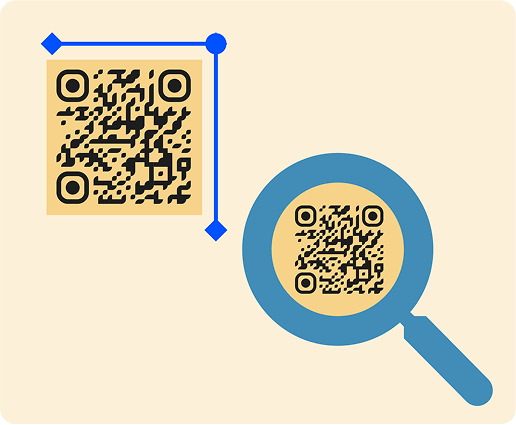
Quick Response (QR) codes are two-dimensional barcodes that store large amounts of data in a compact format.
Unlike traditional one-dimensional barcodes, which store information horizontally, QR codes store data both vertically and horizontally. This allows for faster scanning and extra features.
QR codes encode data in a square grid of black and white squares (called modules), with each square representing a binary value. A camera scans this pattern to retrieve the encoded data.
How Do QR Codes Work?
When scanned by a device with a camera (typically a smartphone), the embedded data is decoded using an algorithm. This data could be a URL, contact information, payment detail, or a file download link. The QR code then directs the user to the corresponding online content.
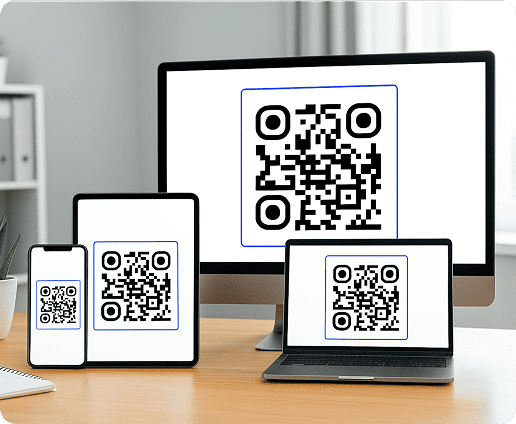
Once generated, QR codes can be shown on screens or printed on physical materials like posters and packaging. This makes them useful forsharing information and user engagement.
How is a QR Code Created?
A QR code generator uses a structured QR code generation process to convert user-provided information into a scannable pattern. This is how it works:
-

1. QR Code data encoding
The first step is transforming your input (a URL or text) into code. This code is then arranged into patterns on the grid. Depending on the data type, the system uses one of four QR Code data encoding modes: numeric, alphanumeric, byte/binary, or kanji.
- numeric
- alphanumeric
- byte/binary
- kanji
-

2. Error correction
Next, the generator determines the amount of error correction to include. This allows QR codes to remain scannable even when partially damaged.
There are four levels (L, M, Q, H), offering from 7% to 30% restoration capability. Higher levels improve readability but also reduce the QR code’s data capacity.
-

3. Markers
To help scanning devices accurately detect and read the code under different angles and conditions, special positioning markers are added. These include:
- Three large square markers in the corners for alignment
- Smaller timing patterns to help with scale
- Alignment patterns to adjust for distortions
-

4. QR code generation
Once the data, markers, and error correction details are integrated, the entire code is compiled into a pattern of squares, which forms the QR code’s complete symbol structure.
The QR code generator then turns this pattern into an image file that you can download and use.
Get started with your first QR code today
Enjoy 7 days of free access to QRNow and create custom QR codes that look professional and on-brand. Sign up in seconds and start creating immediately.
Create my QR Code
How To Create a QR Code for Your Business Using QRNow.com
Creating a code for your business is a straightforward process when using the right tool. This is how you can generate a code using QRNow.com:
-
Choose your QR code type
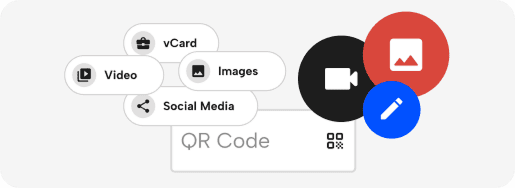
Select the type of QR code based on your needs. You can share the link to a website, enable Wi-Fi access, display a menu, or provide contact details.
-
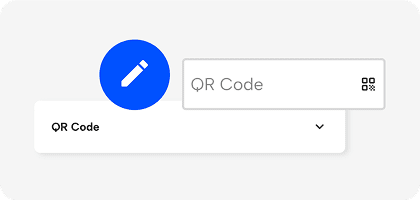
Add your information
Type in the content you want your code to carry. This could be a link, some text, or a file. Double-check the details to ensure everything is accurate.
-
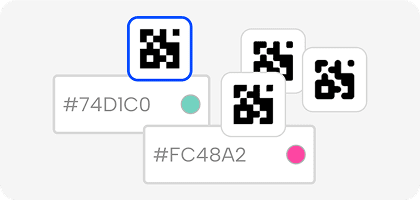
Customize the design
Make your code stand out by customizing its look. QRNow lets you add brand colors and logos to your QR code, and use designs that match your brand style.
-
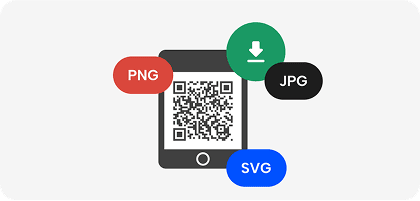
Download your code
Create your code and scan it using different phones to make sure it works well and takes people where you want them to go. Once you’ve confirmed it’s working, download it in the format that suits you best.
-

Start sharing it
Now your QR code is ready to go. You can place it on flyers, product packages, business cards, or any other spot where people can scan it and reach your business.
How To Use QR Codes
QR codes are used across many customer-facing touchpoints. These are some of the most common applications:
- Directing customers to landing pages: Storefront displays often feature QR codes that guide customers to your website and branded content.
- Sharing information to download: Add QR codes to receipts or brochures to give customers instant access to event details or technical documentation.
- Networking: A QR code on your business cards or email signatures lets clients and partners save your company’s contact information directly to their devices.
- Storing product details: Labels and packaging can include QR codes that connect customers to product information or usage instructions.
Most devices can scan QR codes using their built-in camera app. Simply open the camera and point it at the code, then tap the on-screen notification to access the linked content.
The QR code should be large enough and downloaded in high resolution, with high-contrast colors and sufficient white space. A short text, like “Scan to register,” helps customers understand the content they’ll access.
How Different QR Code Types Work
Not all QR codes are the same. Each type has its own use, which helps businesses meet customer needs in smart and creative ways. Here are some examples:
Sharing multi-page documents
Use a PDF QR code to quickly share a hotel brochure filled with local recommendations. Guests can access your curated document on the spot, making it easy for them to explore nearby attractions and services without having to worry about additional paperwork.
Offering internet access to visitors and clients
At your restaurant, customers can easily connect to the network using a Wi-Fi QR code, eliminating the need to manually enter passwords. Customers can browse online while waiting for their meals and even leave a review after their visit, helping increase your online reputation.
Running flexible marketing campaigns
With a dynamic URL QR code, marketing teams can easily update a destination link without changing the code itself. You can use it to promote a seasonal campaign or share updated event details, keeping your audience engaged without reprinting materials.
Managing product packaging
QR codes on product packaging give customers instant access to detailed information, from usage instructions to reviews. You can also link the code to your skincare brand’s newsletter to build customer loyalty and encourage repeat purchases.
Distributing business cards
A vCard QR code makes networking effortless. At conferences or client meetings, a quick scan lets customers and business partners save your contact details directly to their device. This helps your business build stronger connections and expand its promotional reach.
Advances in QR Code Technology
QR codes help businesses share information quickly and make everyday tasks easier. As their adoption grows, they’re changing from simple links into versatile, multifunctional tools.
QR code payments
A key area of growth is QR code payments. Customers can simply scan a QR code to pay through digital wallets or banking apps, making transactions fast and convenient. The global market is projected to reach USD 66.9 billion by 2034.
Personalized experiences
QR codes are also enabling personalized, user-sensitive experiences. Businesses are using them to deliver loyalty programs and interactive product journeys that engage customers long-term.
Replacing traditional barcodes
The GS1 Sunrise 2027 initiative aims to transition to two-dimensional barcodes, such as QR codes, across point-of-sale (POS) and point-of-care (POC) systems. This change will allow businesses to improve supply chain logistics while meeting consumer needs more efficiently.