Benefits of Using QR Codes for Professional Networking
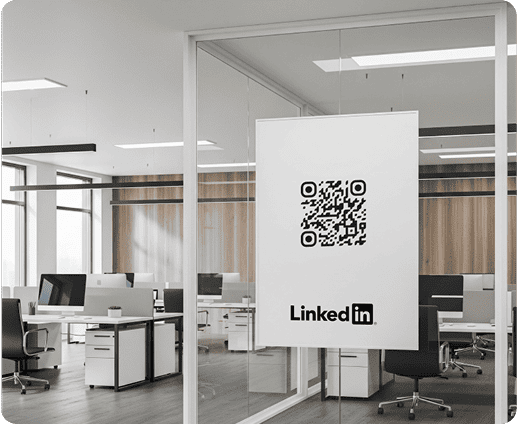
Our LinkedIn QR code generator can help you make codes that drive traffic from both in-person and online interactions.
Companies of all sizes, from startups to large corporations, can use these codes to increase visibility and build trust.
You can use a LinkedIn QR code to:
- Share your personal LinkedIn profile
- Promote your LinkedIn company page
- Add professional trust to brochures, sales decks, packaging, or partner materials
- Add LinkedIn to your business card
- Include LinkedIn on your resume or portfolio
- Share a LinkedIn job posting
- Share specific LinkedIn posts or videos
- Drive traffic from conferences and networking events
- Generate qualified leads
- Increase interaction with your brand
LinkedIn recorded 1.55 billion visits to its platform in October 2025. With more than 69 million companies on LinkedIn, a well-placed QR code can increase profile sharing and make it easier for potential connections to find you.
Supported LinkedIn Page Types and Formats
This really depends on your goal. A LinkedIn QR code is versatile, allowing you to link to any type of LinkedIn page. The table below gives you an idea of how useful this tool can be:
|
LinkedIn QR Code Type |
Best For |
Why it works |
|---|---|---|
| LinkedIn Profile QR Code | Professionals, freelancers, consultants, creators, speakers | Your profile is much easier to find after meetings or events. One scan and they’re there. |
| LinkedIn Company Page QR Code | Brands, startups, agencies, B2B companies, SaaS businesses | It helps potential clients and partners verify your company and follow your updates. |
| LinkedIn Job Post QR Code | Recruiters, HR teams, hiring campaigns, talent acquisition teams | Candidates can scan and go straight to the open role, and apply in seconds |
| LinkedIn Resume QR Code | Job seekers, students, candidates, recent graduates | Instantly adds context, and credibility to your resume |
| LinkedIn Business Card QR Code | Sales teams, founders, consultants, event attendees, account managers | A printed card becomes a direct link to your professional profile. You can hand it out at events or after meetings |
| LinkedIn Event QR Code | Conferences, panels, workshops, trade shows, networking sessions | You keep attendees connected before, during, and after the event. |
| LinkedIn Post QR Code | Thought leadership, product updates, announcements, company news | It drives attention to specific content you want people to see. |
How To Create a LinkedIn QR Code with QRNow
Follow the steps below to make your code. The whole process takes just a couple of minutes.
-
Select the social media QR code
Start by choosing the social media QR code option in QRNow. This format lets you add a URL to any type of LinkedIn page
-
Add your LinkedIn link
Copy your LinkedIn company page URL and paste it into the input field.
Paste the URL you want to share, such as:
- Your profile
- Company page
- Job post
- Event
- LinkedIn post
Double check that the link takes the scanner to the page you want it to.
-
Customize your QR code
You can completely customize the design of the code and make it align with your brand or material. Update elements such as colors, frame, logo, and call-to-action text.
-
Test the QR code
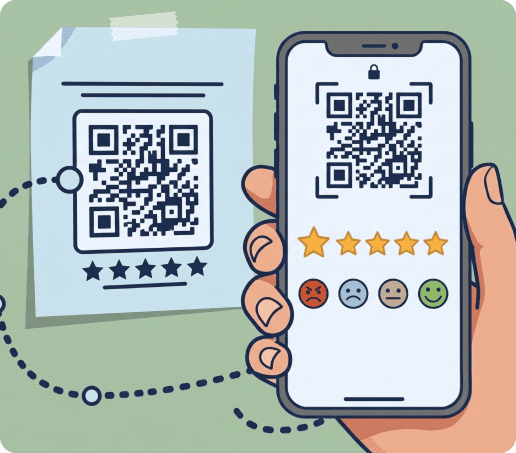
It’s important to make sure the code works before you print it or start putting it on materials. Scan the code with your phone before publishing or printing it.
Make sure it opens the correct LinkedIn page and loads properly. If it’s not working, make sure that the URL you entered is correct.
-
Download and share it
Download your LinkedIn QR code in the format you need. You can add it to:
- Business cards
- Resumes, brochures
- Event displays
- Sales decks
- Marketing materials
Top Placements to Display Your Professional QR Code
A LinkedIn QR code allows you to instantly share diverse types of materials related to your services. It can help any type of business:
|
Use case |
Why it works |
Best placements |
|---|---|---|
| Professionals and freelancers | You make it easier for new contacts to view your experience, services, portfolio, and latest activity after a meeting or event. | Business cards, portfolios, resumes, email signatures, personal websites, presentation slides |
| Companies and B2B brands | A LinkedIn QR code gives potential clients or partners a quick way to verify your company, follow updates, and get into contact with you. | Brochures, sales decks, proposals, packaging, partner materials, trade show booths |
| Recruiters and HR teams | Candidates can scan the code to view open roles and instantly apply. | Career fair booths, university events, hiring posters, job flyers, recruitment brochures, interview handouts |
| Events and conferences | You can keep attendees connected beyond the event by linking them to your profile, company page, speaker page, or event content. | Event badges, booth displays, speaker slides, posters, flyers, table cards, sponsorship materials |
LinkedIn QR Code for Business Cards
A LinkedIn QR code makes your business card more useful. You give clients a direct path to your profile or company page, removing all friction.
Just one scan, and they’re instantly brought to your profile or post.
You should include a call to action near the QR code that explains what happens when it’s scanned. Some examples include:
- Connect with me on LinkedIn
- View my LinkedIn profile
- Follow our company on LinkedIn
- Scan to learn more about my work
- Let’s stay connected
LinkedIn QR Code for Resumes and Portfolios
You can also use a LinkedIn QR code to add extra information to your resume or portfolio without taking up extra space.
This is useful for job seekers, students, freelancers, consultants, or creatives who want to show more than a static document can include.
You should label the QR code with a brief call to action below or above it:
- View my LinkedIn profile
- See my full professional background
- Connect with me on LinkedIn
- Scan to view my experience
- Learn more about my work
Get started with your first QR code today
Enjoy full access to QRNow and create custom QR codes that look professional and on-brand. Sign up in seconds and start creating immediately.
Track Your LinkedIn QR Code Performance
With a LinkedIn QR code, you can see what drives engagement. You can track:
- Total scans
- Unique scans
- Scan location
- Device type
- Operating system
- Scan time and day
- Campaign performance by placement
These insights help you understand what works. For example:
- A sales team can compare scans from conference booths and printed materials
- Recruiters can see which hiring events generate the most candidate interest
Design and Printing Guidelines for Maximum Scannability
A LinkedIn QR code should be easy to scan, clearly branded, and placed where people are ready to connect. Use these best practices before printing or sharing your code.
Designing your LinkedIn QR code
Keep the design simple and high contrast so the code remains easy to scan. Add:
- Your logo
- Brand colors
- A short CTA
Make sure to avoid overcrowding the code.
Printing your code
Test the QR code before printing, and again after printing the first piece of material. You need to make sure it definitely works before printing everything.
LinkedIn QR code sizes that work best
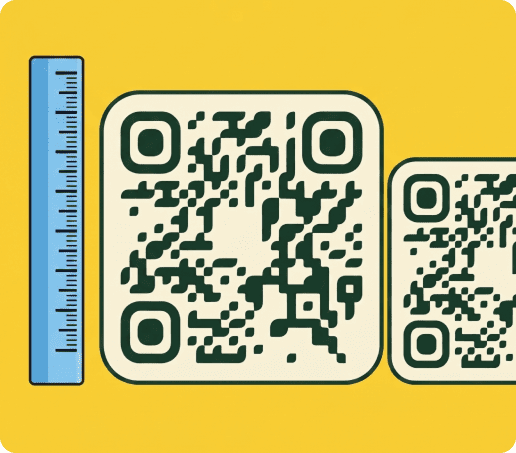
When designing QR codes, you should always choose a size that matches the scanning distance. Small codes work for materials like resumes or business cards. Posters, booths, and banners need larger formats.
|
Placement |
Recommended size |
|---|---|
| Business cards | At least 1 x 1 in / 2.5 x 2.5 cm |
| Resumes and portfolios | At least 1 x 1 in / 2.5 x 2.5 cm |
| Brochures and flyers | At least 1.2 x 1.2 in / 3 x 3 cm |
| Posters and event signs | At least 4 x 4 in / 10 x 10 cm |
| Booth displays and banners | At least 8 x 8 in / 20 x 20 cm |
FAQs
Does LinkedIn have a QR code?
Toggle faqs
Yes, LinkedIn has QR code taht brings you to your profile.
However, QRNow’s LinkedIn QR code generator offers numerous important benefits that can help you grow your business. It gives you more control over:
- Design
- Download formats
- Tracking
- Destination
You can experiment and see what drives the most engagement, and even update the destination of the code.
Can I create a QR code for my LinkedIn profile?
Toggle faqs
Yes, you can create a QR code for your LinkedIn profile in just a couple of minutes with QRNow’s LinkedIn QR code generator.
You can instantly link to any type of LinkedIn page on business cards, resumes, portfolios, email signatures, and event materials. It gives contacts a direct way to find your business and connect with you.
Can I create a QR code for a LinkedIn company page?
Toggle faqs
Yes, you can create a QR code for a LinkedIn company page. Just include the page’s URL as the destination when generating the code.
This helps prospects, customers, partners, and candidates find your official business profile faster, as they no longer need to search you by name.
Can I create a QR code for a LinkedIn job post?
Toggle faqs
Yes, you can create a QR code for a LinkedIn job post by linking directly to the live job listing. This helps candidates scan and view the role without searching manually.
You can include it on:
- Hiring posters
- Career fair booths
- University event materials
- Flyers
- Recruitment campaign posters
Can I change the LinkedIn link after printing the QR code?
Toggle faqs
Yes, you can change the LinkedIn link after printing if you create a dynamic QR code. This lets you update the destination without reprinting the code. This can save you a lot of time and money. Static QR codes cannot be edited after creation.
Why is my LinkedIn QR code not working?
Toggle faqs
Your LinkedIn QR code may not work if the:
- URL is incorrect
- Page is private
- Code is too small
- Design has low contrast
You should test the code on different devices before printing, and make sure that the LinkedIn page is active.
What is the best format to download a LinkedIn QR code?
Toggle faqs
The best format depends on where you will use the LinkedIn QR code:
- PNG or JPG for digital use and simple documents
- SVG or PDF for print, especially business cards, posters, brochures, and banners. These formats keep the code sharp at larger sizes.