What Is a QR Code Seating Chart?
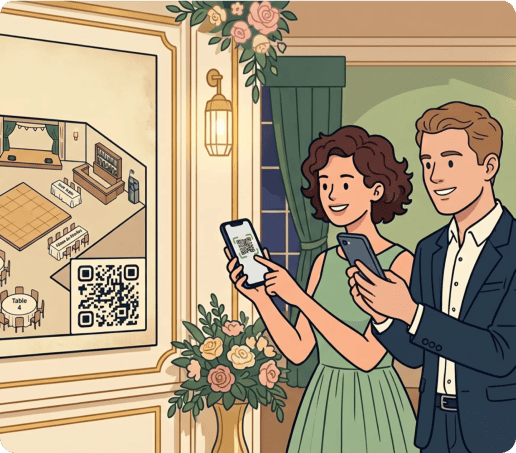
A QR code seating chart is a digital way to organize guest seating at weddings and events.
Instead of relying on printed boards, visitors scan a QR code to view their table assignment instantly.
After scanning, a page opens where guests can search for their name and see exactly where they are seated.
This simple solution helps reduce crowding at the entrance and allows guests to find their tables quickly and with less confusion.
How To Make a QR Code for Seating Charts
Creating a QR code seating chart for a wedding or event is quick and easy with our generator tool. Here’s how to do it in 5 simple steps:
-
Choose the best format for your seating chart
- A dynamic URL QR code is the most flexible option because it instantly directs users to a page and can be updated at any time.
- A landing page QR code works well if you want to design a branded experience.
- A PDF QR code can be used for static charts, although it offers less flexibility.
-
Customize your seating chart QR code
Personalize your QR code to match the style of your event or wedding by adjusting the colors, frames, and adding a logo if needed. You should keep the design neat so that your guests can easily scan it.
-
Add a clear call to action
A clear call to action helps guests understand exactly what to do. Simple instructions like “Find your seat via QR code” or “View seating chart” remove hesitation and guide visitors to where they need to be.
-
Download, print, and display your QR code
Download your wedding seating chart QR code in high quality and place it where your guests will look for seating information, such as the entrance. Make sure the code is properly printed and clearly visible so it can be scanned from a distance.
-
Update and manage your seating chart anytime
Dynamic QR codes let you easily update your seating chart at any time without replacing the code or disrupting your planning.
Benefits of Seating Chart QR Codes for Weddings & Events
QR code seating charts offer a range of benefits for event organizers, from improving efficiency to enhancing the guest experience.
The table below highlights how a digital seating chart QR code can help you have a smoother event:
|
Benefit |
Explanation |
|---|---|
| Avoid crowding at the entrance | Guests scan the code on their phones instead of crowding around a single seating display. |
| Faster guest flow | Attendees can find their table in seconds, which helps reduce lines and keep the flow moving. |
| Reduce confusion and delays | Clear and searchable seating information helps guests locate their table without assistance. |
| Easy last-minute updates | Update seating assignments instantly without needing to reprint or replace physical boards. |
| Improved guest experience | A smoother arrival process creates a professional first impression. |
| Scalable for large events | Can even be used for events with large guest lists or multiple seating zones, like weddings. |
Get started with your first QR code today
Enjoy full access to QRNow and create custom QR codes that look professional and on-brand. Sign up in seconds and start creating immediately.

Best Practices for a QR Code Seating Chart
A QR code seating chart can significantly improve how guests move through your event, but its effectiveness depends on how it is set up.
Paying attention to these key details will help ensure a smooth and well-organized seating experience:
Use a dynamic QR code in case plans change
Using a dynamic QR code is ideal because it allows you to update your seating chart at any time without having to replace the printed code.
This is especially useful if you print the QR code on invitations. Even if you have sent out your invitations, the QR code will always show the most up-to-date seating plan.
Make the seating chart easy to search and navigate
A well-designed seating chart should allow guests to find their name or table quickly and without unnecessary effort.
Organize names clearly (for example, in alphabetical order) or use a search bar to make it easier.
Place the code where guests naturally stop
The ideal placement is in an area where guests naturally look for seating information, such as the entrance, check-in area, or near welcome signage.
FAQs
Do guests need an app to find their seat?
Toggle faqs
No, guests do not typically need to download an app to access a digital seating chart. Most modern smartphones allow users to scan QR codes directly using the camera, which then opens the seating chart in a web browser.
As long as guests have a smartphone with internet access, they can view their table assignment without additional steps.
Can I update the seating chart after printing the QR code?
Toggle faqs
Yes, you can update the seating chart after printing the QR code if you are using a dynamic QR code. The code itself remains the same, but the content it links to can be edited at any time.
If you think you’ll be making changes, a dynamic QR code is the way to go. You can make adjustments without reprinting invitations or signs.
What if some guests do not want to use their phone?
Toggle faqs
If some guests prefer not to use their phone, you can provide a small printed seating chart at the entrance as a backup. This allows everyone to access their table assignment comfortably.
Guests can also ask someone else to scan the QR code on their behalf and show them the seating plan.